
GPT Image 2: OpenAI's Precision Image Generator
OpenAI's GPT Image 2 delivers precise, production-ready images with strong instruction following, optional reference image inputs, single-image output, and flexible aspect ratios. Sketchto routes it through Kie at a predictable 3 credits per generated image.
Settings
Upload an image file to get started with your AI conversion
Maximum quality with the best detail and accuracy
Preview
View your AI-transformed result and compare with the original
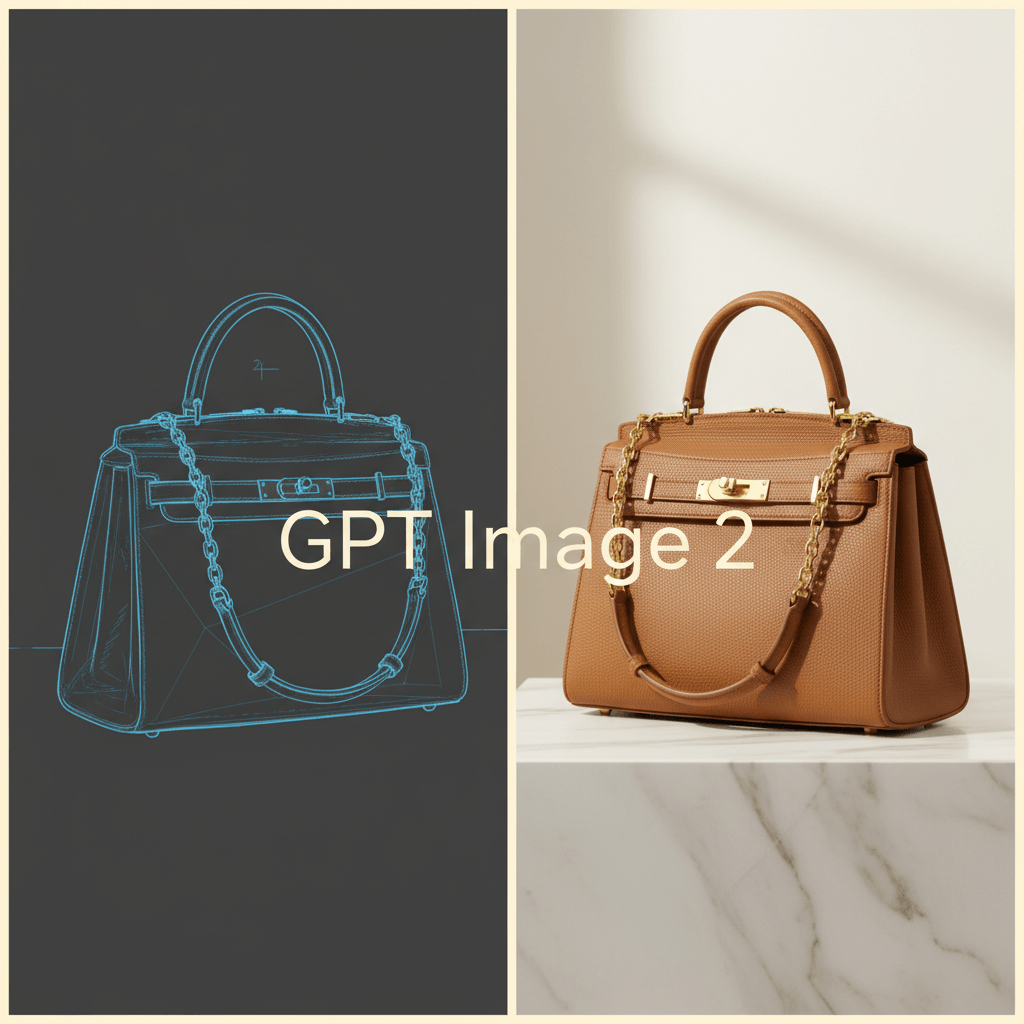
↑ Example result. Try it yourself!
Why GPT Image 2 Is Built for Production Workflows
GPT Image 2 combines OpenAI's world-class instruction following with a simple Sketchto workflow: prompt, optional references, one precise output, and predictable credit use.
Predictable Single-Image Runs
The current Sketchto Kie integration keeps GPT Image 2 simple: each request returns one image and costs 3 credits. That keeps review, storage, and refunds predictable.
Reference Image Editing
Upload reference images when identity, product shape, or visual style needs to stay close to source material. GPT Image 2 works well when the prompt clearly explains what should change and what should remain intact.
Strong Prompt Adherence
GPT Image 2 is useful when exact details matter: scene layout, product attributes, typography direction, and brand constraints. It tends to reward clear, structured prompts.
Precise Instruction Following
Powered by OpenAI's latest image model, GPT Image 2 excels at rendering exact details from complex prompts — text, logos, product specs, brand guidelines. When you need the image you asked for, not a loose approximation, GPT Image 2 is a strong fit.
Flexible Aspect Ratios & Formats
Choose between 1:1 square, 3:2 landscape, and 2:3 portrait aspect ratios to match your target medium. Sketchto stores the final image in R2 so you download from a stable asset URL instead of a temporary provider link.
Transparent Pricing with Dynamic Credits
GPT Image 2 pricing is straightforward after the Kie cutover: 3 credits per generated image. No quality-tier multipliers, no batch-size surprises, and no separate API key for end users.
Real-World Applications of GPT Image 2
Discover how designers, marketers, and product teams use GPT Image 2's precision generation and reference-guided editing to ship faster and iterate smarter.

Product Design & Asset Generation
Product designers use GPT Image 2 to generate icons, illustrations, and UI concepts from precise prompts and reference images. Single-image runs make iteration deliberate and easy to review.

Marketing & Campaign Creatives
Marketing teams run focused GPT Image 2 variations for ad creatives, email headers, and social posts. Flexible aspect ratios (1:1, 3:2, 2:3) cover common placements, and precise instruction following keeps brand guidelines tight.

E-commerce & Product Photography
E-commerce teams use GPT Image 2 with product references to generate lifestyle mockups and catalog images. Reference-guided prompts help keep product shape, color, and styling closer to the source.
How to Use GPT Image 2: Simple 3-Step Process
Start generating with OpenAI's GPT Image 2 in under a minute. Sketchto shows the exact 3-credit cost before each generation.
Sign Up for Free GPT Image 2 Credits
Create your Sketchto account to receive free credits for GPT Image 2. No payment required — test precise text-to-image and reference-image workflows before deciding to upgrade.
Pick Aspect Ratio and References
Choose 1:1, 3:2, or 2:3, then optionally upload reference images for identity, product, or style control. The Generate button shows the 3-credit cost before you run.
Generate & Download from GPT Image 2
Click generate and GPT Image 2 produces a precision image. Download the stored result, tweak the prompt, or swap references and run again.
Pro Tips for Mastering GPT Image 2
Iterate with tighter prompts:
Because each run returns one image, make each prompt specific: subject, composition, lighting, aspect ratio, and what reference images should preserve.
Use references for identity:
When a product, person, or brand object must stay recognizable, upload reference images and say exactly which traits should remain unchanged.
Run separate variations:
For A/B exploration, run focused prompt variants one by one. It keeps results easier to compare and avoids relying on unsupported batch controls.
What Professionals Say About GPT Image 2
“GPT Image 2 works best for us when the prompt is specific. One output per run makes review cleaner, and the 3-credit price is easy to plan around.”

Alex Parker
Senior UX Designer
“Reference images are the reason we keep GPT Image 2 in the workflow. It understands what should stay fixed and what the prompt is allowed to change.”

Priya Sharma
Brand Designer
“For campaign testing we run separate GPT Image 2 prompt variants. The outputs are easier to compare, and the fixed cost keeps budget tracking simple.”

David Kim
Growth Marketing Lead
“GPT Image 2's instruction following is noticeably stronger when rendering specific product details and brand elements. For e-commerce cutouts and lifestyle mockups, it's now my go-to model — precision every time, no fighting with the prompt.”

Maya Thompson
E-commerce Creative Director
Frequently Asked Questions About GPT Image 2
Everything you need to know about using OpenAI's GPT Image 2 on our platform